
Close Menu
NewsBush
    Facebook X (Twitter) Instagram
    Trending
    • WinToFlash: A Simple Way to Create Bootable USB Drives
    • Better Hospital Air Filtration Cuts Ward Infections
    • Green Home Mortgages Reward Efficient Houses With Better Rates
    • Satellite Internet Reaches Remote Communities
    • Green Investment Funds Face Tighter Disclosure Rules
    • Remote Work Settles Into a Hybrid Compromise
    • Farmers Turn to Soil Sensors to Save Every Drop
    • Wildfire Science: Prevention Is Getting Smarter
    Facebook X (Twitter) Instagram YouTube
    NewsBush
    • Home
    • Tech
    • News
    • Fashion
    • Reviews
    • Business
    NewsBush
    Home»Tech»WinToFlash: A Simple Way to Create Bootable USB Drives
    Tech

    WinToFlash: A Simple Way to Create Bootable USB Drives

    Ren TakahashiBy Ren TakahashiOctober 24, 2026No Comments3 Mins Read
    Facebook Twitter Pinterest LinkedIn Tumblr Email
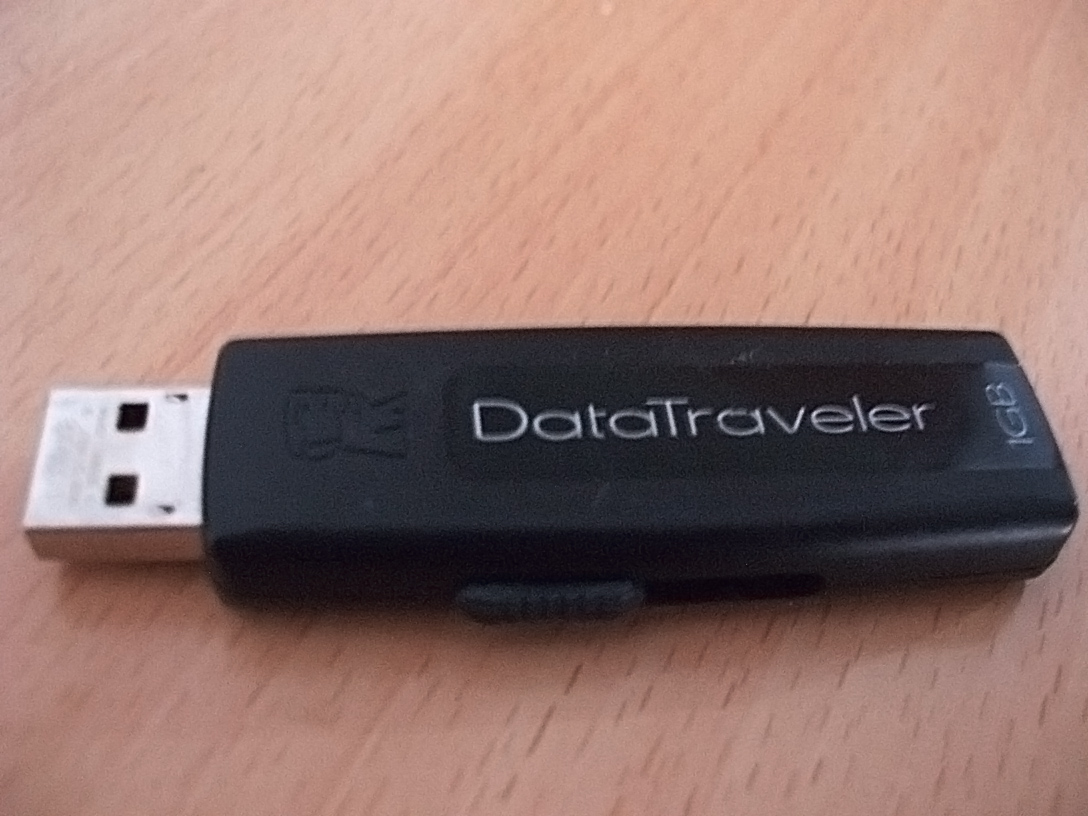
    OLYMPUS DIGITAL CAMERA

    Installing Windows from a CD or DVD is slow and often impossible on modern laptops without an optical drive. WinToFlash is a Windows utility that helps users create a bootable USB drive from a Windows installation disc or image, so Windows can be installed quickly from USB.

    What Is WinToFlash?

    WinToFlash is a tool that transfers Windows setup files to a USB flash drive and makes that drive bootable. Once the USB drive is prepared, the computer can boot from it and start Windows installation, just as it would from a DVD.

    This is useful for netbooks, ultrabooks, and other PCs without a DVD drive, as well as for anyone who wants a faster, more reliable installation medium than an optical disc.

    Why Bootable USB Drives Are Useful

    USB drives are faster than DVDs, easier to carry, and less likely to get scratched. A bootable USB can also be reused: after one installation, the drive can be reformatted and used again, or kept as a recovery tool.

    For technicians and home users alike, a bootable USB is a practical way to install, repair, or reinstall Windows on several computers without carrying discs.

    Key Features for PC Users

    • Bootable USB creation: Turn a Windows disc or ISO into a bootable USB drive.
    • Windows version support: Works with common Windows installation sources for setup and repair.
    • Simple wizard: Step-by-step options that guide beginners through the process.
    • Multiboot options: Prepare drives that can hold more than one boot option, where supported.
    • Fast transfer: Copy setup files to USB faster than burning a disc.

    How to Create a Bootable USB Safely

    1. Back up the USB drive first, because the process will erase it.
    2. Insert a USB drive with enough free space for the Windows setup files.
    3. Select the Windows installation source and the correct USB drive, and double-check the drive letter.
    4. Start the transfer and wait for it to finish without removing the drive.
    5. Restart the PC, enter boot settings if needed, and boot from the USB drive to start installation.

    Choosing the wrong drive is the main risk. Always confirm the drive size and letter before starting, especially when other drives are connected.

    Practical Tips

    Use a reliable USB drive, preferably USB 3.0 or newer for faster installation, and keep the Windows product key ready before starting. After installation, the USB drive can be kept as a recovery tool or reformatted for normal use.

    If a PC does not boot from USB, check the boot order in BIOS or UEFI settings, and make sure Secure Boot settings allow the USB drive if required.

    Final Thoughts

    WinToFlash makes a common but technical task simple: creating a bootable Windows USB drive without manual command-line steps. For users installing or repairing Windows on a PC without a DVD drive, it is a practical, time-saving tool.

    To learn more about creating bootable USB drives, visit wintoflash.org.

    Ren Takahashi

    Related Posts

    Satellite Internet Reaches Remote Communities

    October 24, 2026

    Virtuix Partners With Meta on Omni One VR Treadmills

    October 19, 2026

    ECDSA Curve Origins and the NIST Backdoor Question

    October 19, 2026
    Leave A Reply Cancel Reply

    Search
    Recent Posts

    WinToFlash: A Simple Way to Create Bootable USB Drives

    October 24, 2026

    Green Home Mortgages Reward Efficient Houses With Better Rates

    October 24, 2026

    Satellite Internet Reaches Remote Communities

    October 24, 2026

    Green Investment Funds Face Tighter Disclosure Rules

    October 24, 2026

    Remote Work Settles Into a Hybrid Compromise

    October 22, 2026

    Farmers Turn to Soil Sensors to Save Every Drop

    October 22, 2026
    About Us

    NewsBush is your trusted source for fresh, breaking news and trending stories from around the world. Stay updated every day with reliable coverage on politics, technology,

    entertainment, sports, business, and more. NewsBush delivers fast, accurate, and engaging news content all in one place to keep you informed anytime, anywhere. #NewsBush

    Popular Posts

    WinToFlash: A Simple Way to Create Bootable USB Drives

    October 24, 2026

    Green Home Mortgages Reward Efficient Houses With Better Rates

    October 24, 2026
    Contact Us

    If you have any questions or need further information, feel free to reach out to us at

    Email: tech4english@gmail. com
    Phone: +358 44 952 3404

    Address: 651 Lindale Avenue
    Berkeley, CA 94704

    Copyright © 2026 | All Rights Reserved | NewsBush
    • About Us
    • Contact Us
    • Disclaimer
    • Privacy Policy
    • Terms and Conditions
    • Write For Us
    • Sitemap

    Type above and press Enter to search. Press Esc to cancel.

    WhatsApp us